TP-Link Omada SG2218 #
A managed Gigabit switch from TP-Link’s Omada line, used as the mobile site’s access switch.
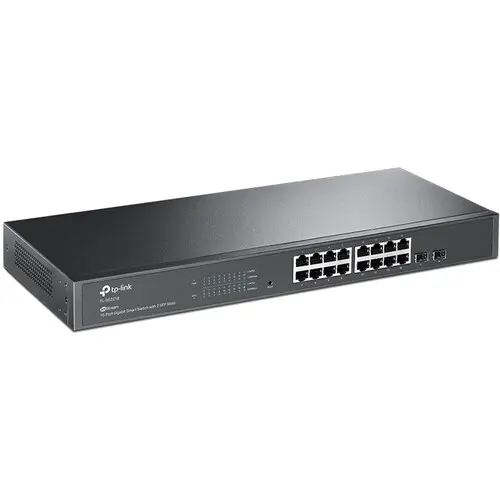
Specs #
| Attribute | Value |
|---|---|
| Model | TP-Link Omada SG2218, hardware 1.20 |
| Ports | 16x Gigabit RJ45 |
| Uplinks | 2x SFP (1Gbps) |
| PoE | None: the AP runs from its own injector |
| Switching Capacity | 36 Gbps |
| MAC Table | 8K entries |
| Jumbo Frames | 9216 bytes |
| Power | 8.65W max |
| Dimensions | 294 x 180 x 44mm |
| Mounting | Desktop or rack (1U) |
| Cooling | Fanless |
Selection Rationale #
- VLAN support: 802.1Q VLAN tagging for network segmentation
- SSH access: CLI configuration for automation
- Omada SDN: Centralized management via Omada controller
- Compact: Fits mobile site form factor
- SFP uplinks: Future 1G fiber connectivity option
- Fanless: Silent operation (passive cooling)
In Service #
| Host | Role |
|---|---|
dv02acc001p01 | Access Switch |
Port Map #
The authority is the switch’s switch_ports in the inventory
(host_vars/dv02acc001p01.yml); this table is a copy of it.
| Port | Mode | VLANs | Device |
|---|---|---|---|
gi1/0/1 | Trunk | native 999, all tagged | Core router re0 |
gi1/0/2 | Access | 99 | Free, kept for an operator laptop during console recovery |
gi1/0/3 | Access | 30 | dv02rpi002p01 |
gi1/0/4 | Trunk | native 99; 10, 30, 31, 40, 45 | Access point |
gi1/0/5 | Access | 30 | dv02rpi004p01 |
gi1/0/6 to gi1/0/12 | Undeclared | VLAN 1, not routed | — |
gi1/0/13 | Trunk | native 99; 50, 51 | Tenant hypervisor |
gi1/0/14 | Access | 30 | dv02rpi001p01 |
gi1/0/15 | Trunk | native 99; 25, 35 | Management hypervisor |
gi1/0/16 | Access | 99 | Builder |
An undeclared port is untagged VLAN 1, which has no DHCP and no route, so a device cabled to one looks dead. Declare the port before cabling a new device.
Physical #
- Console: there is no console port. Recovery is a factory reset, then a laptop on the switch’s default subnet; see Access Switch console recovery.
Firmware #
Hardware revision 1.20 (a unit labeled V1.26 takes the same firmware). It holds two firmware images: the running version and a rollback. Both are in the Software Catalog.
Evaluation #
| Role | Access switch |
| Current | Not yet evaluated In service from before the Evaluation policy |
Revisions #
None yet.