Raspberry Pi Lab #
Purpose #
The Raspberry Pi bank provides a development and prototyping platform for edge compute, IoT, and clustering experiments. The Pis function as a reusable workbench—when a project is complete, the SD card becomes the deliverable and a new Pi4 is purchased for permanent deployment.
Goals:
- SD card as product — Develop on the bank, deploy the card to dedicated hardware
- Swappable experiments — Swap SD cards in/out for different projects or clustering configurations
- Prototyping platform — Test configurations before committing to permanent hardware
Hardware #
Site: dvntm (mobile)
| Quantity | Model | RAM | Notes |
|---|---|---|---|
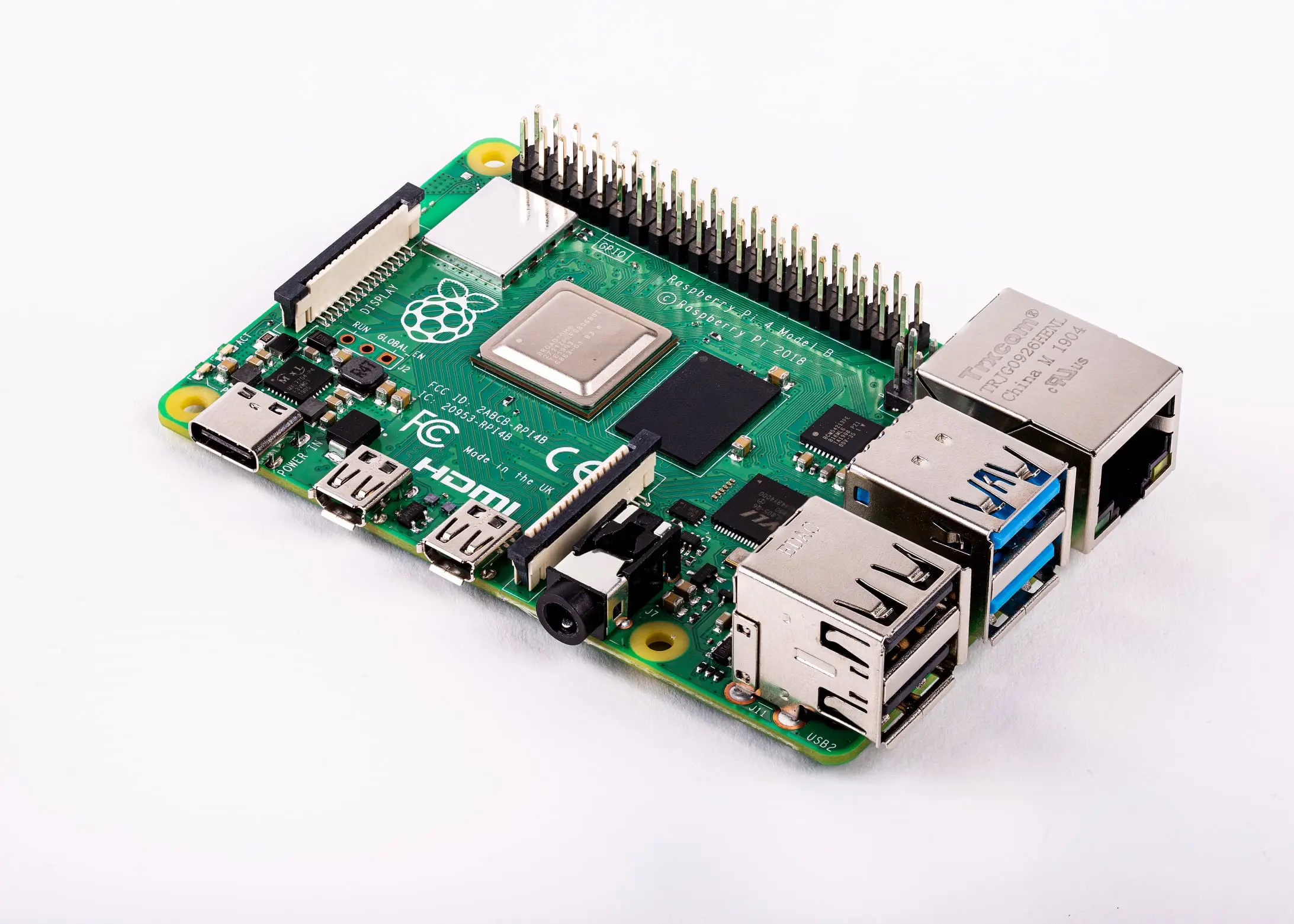
| 4 | Raspberry Pi 4 Model B | 8GB | Development bank |
Selection Rationale #
| Attribute | Value | Rationale |
|---|---|---|
| Model | Pi 4 Model B | Mature platform, broad software support |
| RAM | 8GB | Maximum available, supports heavier workloads |
| Quantity | 4 units | Enables clustering experiments (K3s, etc.) |
| Form factor | Standard Pi | Compatible with cases, HATs, accessories |
Network Position #
graph LR
    A[Core Router] <--> B[Access Switch
IoT VLAN] <--> C[Raspberry Pi Bank
4x Pi4 8GB]
Pis are placed on the IoT network segment for isolation from management workloads.
Operating System #
| Attribute | Value |
|---|---|
| OS | Raspberry Pi OS (64-bit) or Fedora ARM |
| Provisioning | SD card imaging via deevnet-image-factory |
Image Factory Integration #
All Pi projects start in the deevnet-image-factory. The goal is to bake as much configuration as possible into the image itself:
| Layer | What Gets Baked In |
|---|---|
| Base image | Raspberry Pi OS or Fedora ARM |
| cloud-init | Network config, users, SSH keys |
| Packages | All software dependencies |
| Configuration | Service configs, systemd units |
| Test scripts | Hardware/software validation scripts |
| Post-startup scripts | For hardware-dependent setup (SDR, GPIO, etc.) |
Test Scripts #
Each image includes validation scripts that proof the hardware and software are working as expected:
/opt/deevnet/tests/
├── test-network.sh      # Validate connectivity
├── test-services.sh     # Verify services running
├── test-hardware.sh     # Hardware-specific checks (SDR, GPIO)
└── run-all-tests.sh     # Execute full validation suite
Run after first boot to confirm the image deployed correctly.
Post-Startup Scripts #
Some configurations require hardware to complete (SDR tuning, GPIO initialization, device calibration). These run on first boot after hardware detection:
/opt/deevnet/post-startup/
├── init-sdr.sh          # SDR device initialization
├── init-gpio.sh         # GPIO pin configuration
└── init-sensors.sh      # Sensor calibration
Experiments #
The 4-Pi bank supports various experiment configurations:
| Configuration | Use Case |
|---|---|
| 4-node K3s cluster | Lightweight Kubernetes, distributed workloads |
| 3+1 cluster | 3-node cluster + 1 control/monitoring node |
| 2+2 split | Two separate 2-node experiments |
| 4 independent | Four different single-node projects |
Example Projects #
| Project | Description |
|---|---|
| K3s cluster | Lightweight Kubernetes for container orchestration |
| SDR gateway | Software-defined radio signal processing |
| Sensor collection | IoT sensor aggregation and forwarding |
| Home automation | Home Assistant or similar platforms |
| Display/kiosk | Information displays, dashboards |
SD cards can be swapped to reconfigure the bank for different experiments without rebuilding images.
Workflow #
Development Cycle #
- Create image — Build project-specific image in deevnet-image-factory
- Bake configuration — Include packages, configs, test scripts
- Flash SD card — Write image to card
- Boot and validate — Run test scripts to proof the build
- Iterate — Fix issues in image factory, rebuild, re-test
- Finalize — Working SD card is the deliverable
Permanent Deployment #
When a project graduates from the development bank:
- Document configuration — Capture working setup in image factory
- Purchase Pi4 — Buy dedicated hardware for permanent role
- Transfer SD card — Move finalized card to new hardware
- Reclaim bank slot — Bank Pi returns to available pool
This model keeps the development bank available for new experiments while completed projects run on dedicated hardware.