Tenant Hypervisors #
Purpose #
The tenant hypervisors host application workloads and experiments. This is Proxmox Node 2 in the two-hypervisor architecture, dedicated to workloads that may be rebuilt frequently and can tolerate higher churn.
Hardware #
| Site | Hardware | Notes |
|---|---|---|
| mobile | Dell Optiplex 7050 MFF | Repurposed enterprise desktop |
Selection Rationale #
| Attribute | Requirement | Rationale |
|---|---|---|
| RAM | 32GB minimum | Multiple tenant VMs |
| Storage | 1TB SSD | VM images, local storage |
| CPU | Modern x86_64 with VT-x | Virtualization support |
| NICs | Gigabit Ethernet | Substrate network connectivity |
Operating System #
| Attribute | Value |
|---|---|
| OS | Proxmox VE |
| Version | Software Catalog |
| Base | Debian |
Automation Capability #
- Installation: Manual ISO install (no PXE support for Proxmox)
- Post-install: Ansible configuration via
deevnet.buildercollection - VM provisioning: Terraform (future) for declarative lifecycle
- Templates: Packer-built Fedora templates stored locally
Dell Optiplex 7050 MFF #
Site: mobile (mobile)
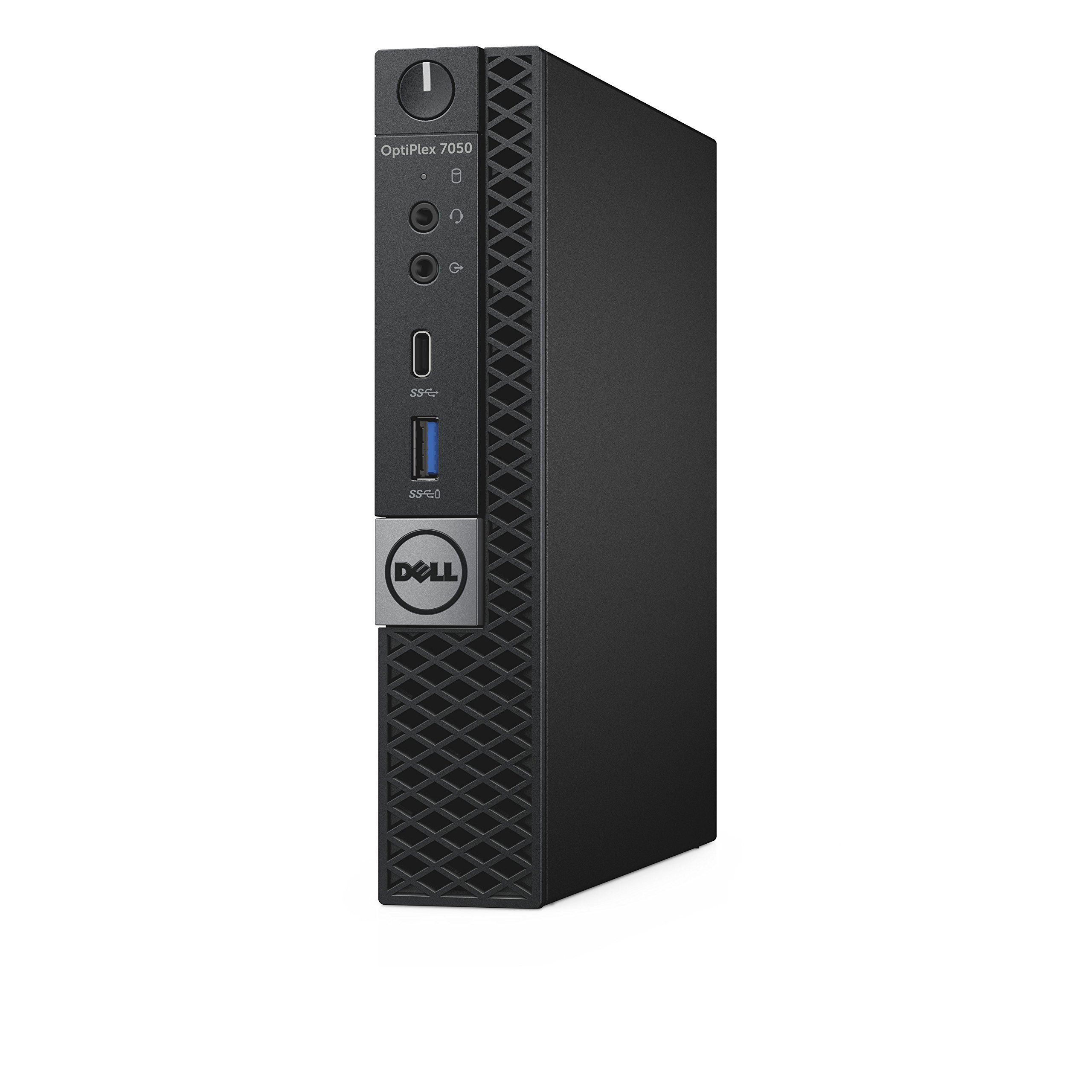
The Dell Optiplex 7050 Micro Form Factor is a repurposed enterprise desktop used as the tenant hypervisor for the mobile site. Its compact size, low power consumption, and Intel virtualization support make it well-suited for always-on infrastructure workloads.
Hardware #
| Attribute | Value |
|---|---|
| Model | Dell Optiplex 7050 Micro Form Factor |
| CPU | Intel i7-6700T (4-core/8-thread, 2.8-3.6GHz, 35W TDP) |
| Memory | 32GB DDR4 |
| Storage | 1TB NVMe/SATA SSD |
| Ethernet | 1x Gigabit (Intel I219-LM) |
| Form factor | Micro Form Factor (MFF) |
| Power | ~35W TDP |
Selection Rationale #
- Repurposed enterprise desktop - reliable, well-supported hardware
- 32GB RAM meets tenant hypervisor requirements for multiple VMs
- Compact form factor suitable for mobile lab placement
- Low power consumption for always-on operation
- Intel VT-x/VT-d for Proxmox virtualization support
- Intel I219-LM NIC for reliable network connectivity
Roles #
The tenant hypervisor hosts these workload categories:
| Category | Examples |
|---|---|
| Application development | IoT backend, services, APIs |
| Experiments | Test environments, sandboxes |
| Ephemeral workloads | Short-lived or rebuildable VMs |
Tenant workloads tolerate higher churn and may be rebuilt frequently.
VM Templates #
| Template | Description |
|---|---|
| Fedora | Ansible-ready base image built via deevnet-image-factory |
Templates are built using Packer and stored locally on each hypervisor. New VMs clone from templates for rapid, consistent deployment.
Build-time addressing #
The build VM takes a pinned address, 10.20.99.79 on the management segment,
rather than a DHCP lease. It is not a reserved host: the address exists only for
the duration of a build.
This is deliberate. The installer needs an address before it can fetch its kickstart, and the installed system needs one for Packer’s SSH provisioner. If that came from DHCP, building an image would depend on a substrate service being healthy — and when DHCP is unavailable the build does not fail quickly or clearly. It boots, waits, and drops into a dracut emergency shell roughly seven minutes later reporting “missing inst.stage2 or inst.repo”, which points at the install source rather than at the network. That is an expensive way to learn the DHCP pool is down.
Pinning the address means an image build either succeeds or fails for reasons inside the build.
It does not reach clones. The last step of the build removes the
NetworkManager connection profile along with machine-id and the SSH host keys,
so a clone inherits no address, no identity, and no host keys. Tenant workloads
are addressed by cloud-init from the tenant fabric — see
Tenant Fabric.
10.20.99.79 sits in the .70-.79 experimental/lab range of the
addressing plan, clear of both the .2-.49
static infrastructure range and the .200-.230 DHCP pool. Override with
build_ip, or set build_use_dhcp=true to go back to a lease.
Provisioning #
Tenant workloads are declared by each tenant in Terraform through the deevnet/deevnet provider
and built by the Deevnet API; the management plane stays on Ansible. See
Tenant Operations.
Non-Clustered Design #
The tenant hypervisor operates independently without Proxmox clustering:
| Aspect | Implication |
|---|---|
| No HA failover | VMs do not automatically migrate |
| No shared storage | Local storage only |
| Independent management | Dedicated web UI |
| Simpler operations | No quorum concerns |
Rationale #
For a two-node lab environment:
- Clustering adds complexity without meaningful HA
- Two-node clusters introduce quorum challenges
- Local storage is simpler and faster
- Manual VM placement is acceptable at this scale
Trajectory note. Non-clustered is the Phase 1 state, not a permanent constraint. The tenant network is built as a single-member fabric designed to expand into a tenant cluster later without redefinition — see Tenant Fabric (SDN). Any such cluster is a cluster of tenant hypervisors for its own quorum; it does not join the management hypervisor, which follows a separate path.
Network Position #
graph LR
    A[Core Router
perimeter: NAT, policy] <-->|transit VLAN| B[Tenant Hypervisor
Proxmox Node 2
tenant fabric] <-->|VRF overlays| C[Tenant VMs
apps, experiments, sandboxes]
Tenant VMs receive addressing from the tenant fabric (SDN IPAM/DHCP). Aggregate tenant egress reaches the core router over a transit VLAN, where the core router applies NAT and perimeter policy. The core router does not serve tenant DHCP.
Tenant Networking: The Tenant Fabric #
Tenant networking is a routed overlay fabric owned by this hypervisor, not a set of physical VLANs on the core router. Each tenant is a VRF-isolated virtual network with an anycast gateway hosted by the fabric; the core router is only the perimeter. The fabric is self-contained on this node and built as a single-member fabric that expands to a cluster without redefinition.
See Tenant Fabric (SDN) for the Proxmox SDN/EVPN implementation, and ADR-0001 for the decision and the options considered.
| Feature | Description |
|---|---|
| Overlay (EVPN/VXLAN) | Tenant networks are virtual; no per-tenant switch change |
| VRF per tenant | Tenants cannot see each other’s traffic |
| Anycast gateway | Tenant gateway hosted by the fabric, not the core router |
| Fabric IPAM | Address space owned by the fabric, per tenant; workloads addressed by cloud-init (no DHCP on EVPN zones) |
| Perimeter transit | Aggregate egress to the core router for NAT and policy |
Deterministic MAC Addressing #
Current Policy #
Deterministic MAC addressing for tenant workloads is deferred until tenant lifecycle management is formalized.
| Workload Type | MAC Policy |
|---|---|
| Management Plane | Deterministic, inventory-defined |
| Tenant Workloads | TBD — may become deterministic later |